Reasons
Reasons are the causes people and devices give for downtime, for non-production time and for bad production. Good reasons make it possible to find the root cause of losses and decide what to improve first. Go to Admin > Reasons.
Your account starts with a set of general downtime and non-production reasons. Edit, delete or add to them to match your operation.
Info
Reasons are stored in the account manifest.
Reason settings
| Setting | Values | Default | Effect |
|---|---|---|---|
| Parent Reason | Top-level Reason, or an existing reason | Top-level Reason | Reasons can have several levels. Choose the reason this one belongs under, or Top-level Reason. |
| Description | Text | None (required) | A short description of the reason. |
| Type | All type, Downtime, Non-Production, Quality | All type | Where the reason can be used. All type makes it available for every use. |
| Require Notes | Inherit, Yes, No | Inherit (a top-level reason offers only Yes or No) | For downtime reasons: whether operators must enter a note when they give this reason. |
Type
- Downtime reasons are offered for unplanned stops. See Downtime.
- Non-Production reasons are used for planned time without production, such as maintenance. This time is not unplanned downtime. See Scheduled non-production time.
- Quality reasons are offered when bad production is recorded. See Quality.
Require Notes
Inherit takes the setting from the parent reason. Yes requires a note. No turns off a Yes set on a parent. The form shows what Inherit currently means for the reason. Operators see the prompt in the Operator Interface.
Reason Management
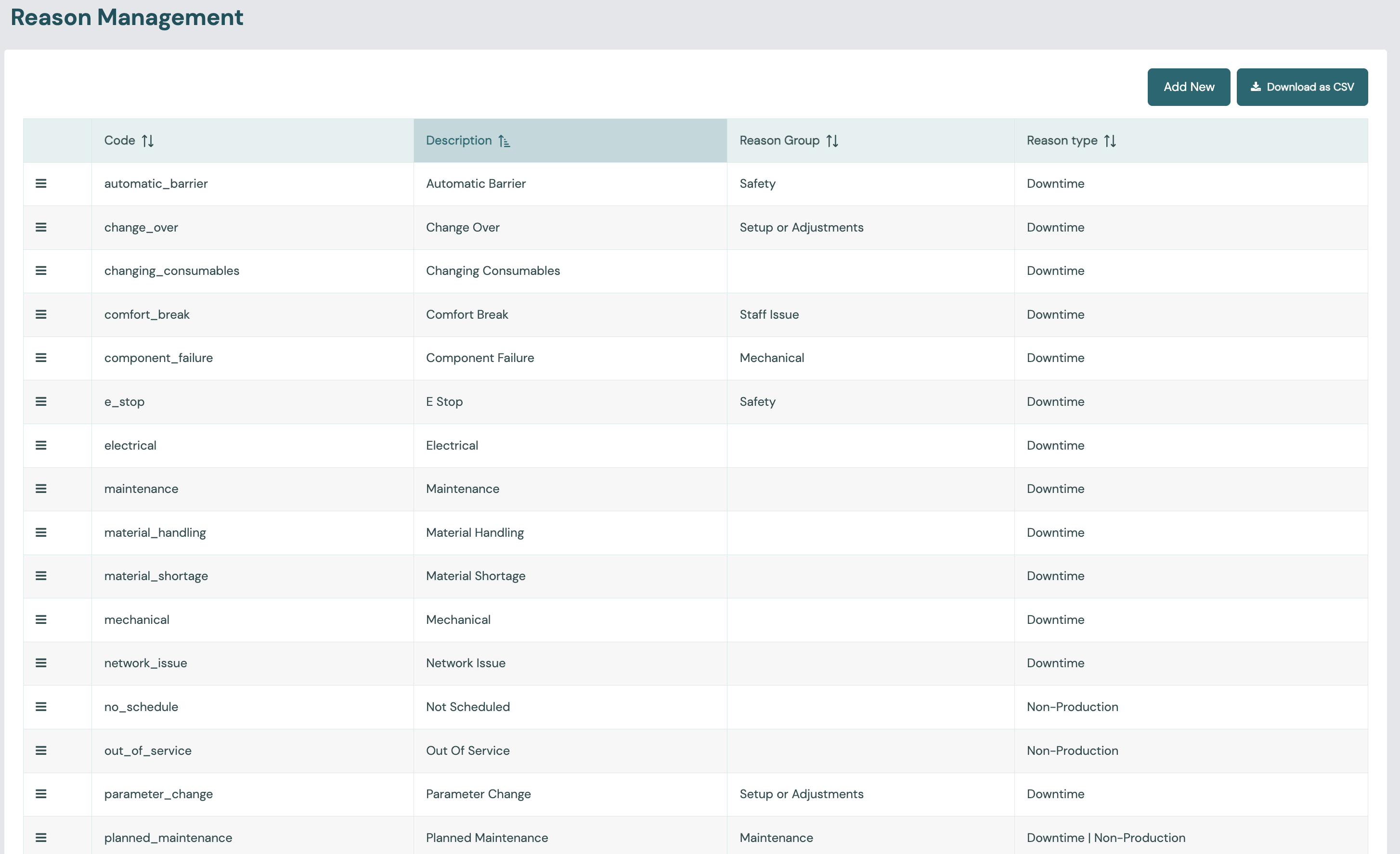
The list shows every reason and its sub-reasons. Downtime by reason is analysed in Downtime List & Analysis and OEE Analysis.
Availability
You can choose which reasons each station offers. Use the Reasons panel on the Account, Plant, Station Group and Station forms. Each panel has an include list and an exclude list:
- If no level has an include list, every reason is available everywhere.
- If any level has an include list, a station only offers the reasons included at its levels. A lower level can add back a reason that a level above excluded.
- Each level's exclude list then removes reasons at that level.
- Including or excluding a reason also includes or excludes all of its sub-reasons, including any you add later. To leave one sub-reason out, include the parent and exclude that sub-reason.
For the exact rules, see Reasons and the include/exclude cascade.
The Reason Management list has an Availability column. It shows how many stations each reason reaches: "All stations", "8 of 12 stations" or "No stations". The count is out of every station in the account except archived, Scheduling Only and Meter Only stations. The column is included in the CSV download.
Hover over the count to see where the reason is set: which Account, Plant, Station Group or Station lists mention it, each marked Included or Excluded. A sub-reason that is only reached through its parent shows "via" and the parent's name. The reason's edit form shows the same details, with the full path of every mention, in a read-only Availability panel at the bottom.